MAKE IT YOURS
A site that changes with your season.
Two controls that keep your site feeling alive without you touching a layout: a one-line announcement bar for what's happening right now, and seasonal photo sets that swap your hero on their own when the calendar turns.
A guide's business isn't static — teal season opens, a cancellation frees up a weekend, the water cools and the pictures should change with it. Most guide websites are a snapshot of whenever the designer finished; six months later they read stale, and stale reads closed.
Timber & Tackle gives you two levers. The announcement bar is one typed line across the top of your site — a season opening, open dates, a price change — you set it in your dashboard and clear it when it's old. Seasonal hero sets go further: upload a summer look and a fall look once, tag each with its months, and the site swaps the whole hero backdrop (and tagline, if you give each season one) automatically.
Say what's happening now
“Duck season opens Nov 14 — weekends are going fast.” One line, typed from your phone, first thing a visitor reads.
Fill a hole in the calendar
A cancellation becomes an announcement in thirty seconds — the fastest honest way to move an open date.
A fall site in fall
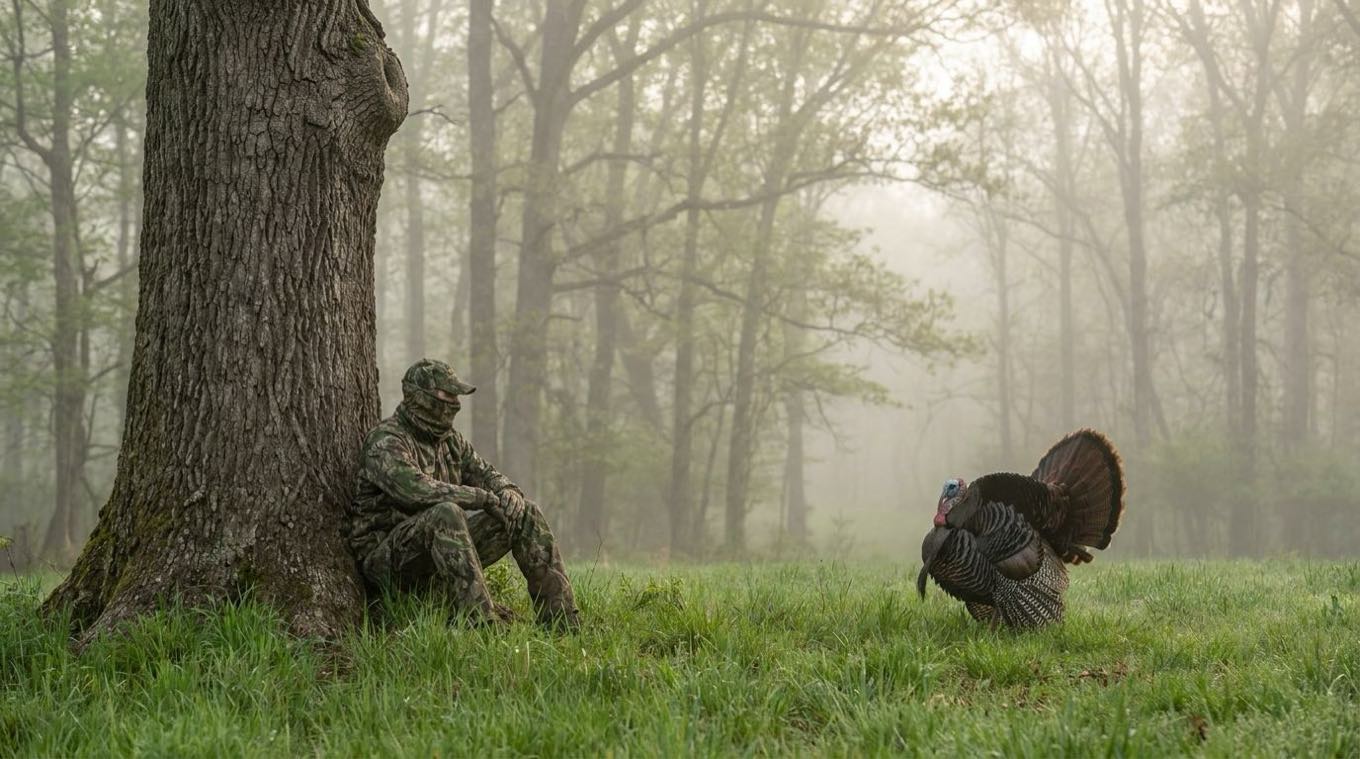
Rut-season photos when it's the rut, topwater photos in June. Each set carries its own months and swaps itself.
A tagline per season
Give the fall set its own line (“The rut is on”) and the hero text turns over with the photos.
How it works
- 1
Type the announcement
Dashboard → Settings: one line, an optional link, done. Delete it when it's old and the bar disappears.
- 2
Build a season's photo set
Upload a few photos for that season and tag its months — a summer set, a fall set, a late-season set.
- 3
The site handles the rest
When the calendar enters a set's months, your hero swaps to it — in your timezone, no reminder needed.
Why it matters
Freshness is a trust signal for clients and a relevance signal for search engines. A site that visibly tracks the season tells a booking angler the guide is active, current, and worth a deposit — and it does it without you ever opening a layout editor.
Both demos run these live: flip the “preview a season” switcher on the demo sites and watch the hero turn over.
Straight answers.
Do I have to update the announcement bar?
Only when you have something to say. Leave it blank and the bar simply isn't there — it never shows an empty strip.
What happens between seasons?
If no set covers the current month, your default hero photos show. Sets only take over during their tagged months.
Can each season have its own tagline?
Yes — every set can carry a label and a tagline, and the hero text swaps with the photos.
Is this extra work every month?
No. You build the sets once; the swap is automatic, in your timezone. The announcement bar is the only manual piece, and it's one line.
Related: your guide website · SEO & AI visibility · the season calendar · All features
Set it once. It keeps up with the season.
We build your whole site free and send you a link. Look it over. If the math doesn't move you, you've lost nothing.
Get your site built — freeFree until you accept your first booking, then $19/mo · keep every listing you have · built before you decide
We will never take a cut of a client you brought us.